


Your business may not show on Google because your Business Profile isn’t verified, has incomplete or inconsistent details, or is suspended, duplicated, or under recent-edit review. Your website may also be unindexed, blocked by noindex or robots.txt, or lack relevant service and city pages. Check Search Console, profile status, NAP consistency, categories, hours, reviews, and mobile speed. Once you identify whether Search, Maps, or service queries are affected, you can apply the right fix.
Key Takeaways
Verify your Google Business Profile, complete every field, and ensure your name, address, phone, hours, and website match official records.
Check for suspensions, duplicate listings, permanent-closure flags, or recent profile edits that may temporarily reduce Maps visibility.
Search your exact business name, address, and services to determine whether the issue affects Google Search, Maps, or service-related rankings.
Use Google Search Console to fix indexing problems such as no index tags, robots.txt blocks, crawl errors, canonical issues, or missing sitemaps.
Improve local relevance with accurate categories, service pages, city-specific content, reviews, citations, photos, and a fast, mobile-friendly website.
Why Showing Up on Google Matters
Showing up on Google directly determines whether nearby customers can find and contact you when they’re ready to buy.
With 46% of searches showing local intent, visibility in Maps and the Local 3-Pack drives calls, directions, and mobile conversions. Optimize your verified Business Profile, accurate NAP, categories, hours, reviews, and mobile-fast website so you capture customers before competitors do.
Identify Your Specific Google Visibility Problem
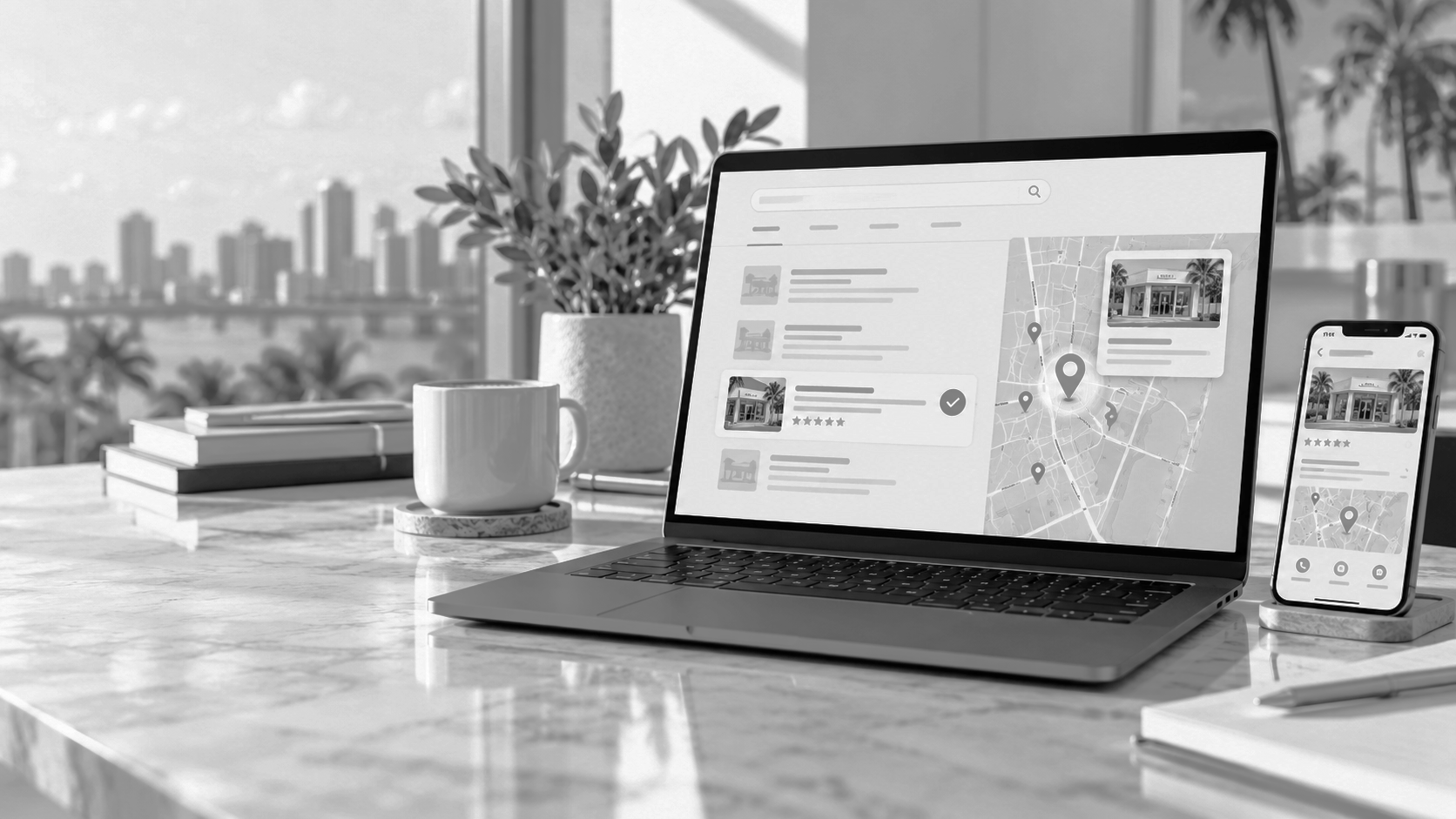
First, determine whether customers can’t find your business in Google Search, Google Maps, or service-related local searches. Search your exact business name, address, and primary services from your target city, then compare the results with your Google Business Profile.
This quick diagnosis helps you focus on indexing, Maps eligibility, or local relevance issues.
Your Business Is Missing From Google Search
Pinpoint where visibility breaks before you change anything: search your exact business name and city in Google Search and Maps, then check your Google Business Profile dashboard and Google Search Console.
If your site shows “Page not indexed,” inspect noindex tags, robots.txt, and crawl errors. Check manual actions and security issues.
Standardize NAP details, then strengthen pages with local keywords and photo optimization.
Your Business Is Missing From Google Maps
Start by checking whether your Google Business Profile is verified, suspended, or marked permanently closed, because any of these statuses can remove it from Google Maps. Search your exact business name and NAP variations, then review dashboard alerts, duplicates, and recent edits.
Correct inconsistent details, P.O. Box addresses, keyword-stuffed names, and hidden markers linked to map spam. Appeal suspensions with official registration or utility documentation.
Your Business Appears by Name but Not for Your Services
If your business appears when customers search its exact name but disappears for services such as “web designer in [city],” Google recognizes your brand but doesn’t yet see it as a strong local result for that service.
Check your GBP primary category, service pages, H1s, and city terms. Fix schema mismatch and intent alignment. Confirm pages aren’t noindexed, blocked, or orphaned, then build reviews and citations.

Complete Your Profile’s Core Ranking Fields
Claim and verify your Google Business Profile, then complete its primary category, NAP, hours, service area, website, and services to match your local website and official records.
Correct incomplete or inaccurate fields promptly, but expect recent edits to trigger a temporary review before Google updates local results.
If visibility remains blocked, check for suspensions and duplicate listings that can split or suppress your profile’s ranking signals.
Your Google Business Profile Isn’t Claimed or Verified
Until you claim and verify your Google Business Profile, Google generally won’t make it eligible to appear publicly in Search or Maps.
Start the claim process in your GBP dashboard, then complete postcard, phone, email, or eligible instant verification.
Verification gives you control of your local listing and lets you edit it.
If visibility drops, check for verification notices or pending changes.
Your Business Profile Is Incomplete or Incorrect
Complete every core field in your Google Business Profile to give Google accurate local-ranking signals and make your listing eligible for relevant Search and Maps results.
Add your exact name, address or service area, phone, website, hours, description, services, and attributes.
Prioritize category accuracy without keyword stuffing.
Upload at least five high-quality listing photos, and match NAP formatting across your website and directories.
You Recently Changed Your Business Information
Recent changes to your business name, primary category, address, phone number, website, or hours can temporarily remove or suppress your Google Business Profile while Google rechecks its accuracy.
Align every edit with your website and local citations to avoid NAP conflicts.
Consider branding impacts and notify customers.
Upload documentation if requested, then add photos, services, posts, and fresh reviews.
Updates may take days to propagate.
Your Google Business Profile Is Suspended
A suspended Google Business Profile disappears from Google Search and Maps, so check your GBP dashboard and account email for the suspension notice before making changes.
Correct your name, category, and street address.
Gather NAP proof and owner identity documents.
Submit promptly; appeal timing matters.
After reinstatement, complete hours, add a website, and add five local photos to strengthen visibility.
You Have Duplicate Business Listings
Duplicate Google Business Profiles can split your local ranking signals, causing Google to hide or de-prioritize the listing you want customers to find.
Search name, address, and phone variations, then mark extras as Duplicate in GBP Manager or request removal.
Complete the canonical profile’s name, address, category, phone, hours, and website.
Run citation cleanup, report map spam, and monitor recovery for three days.
Google Hasn’t Indexed Your Website
If Google hasn’t indexed your website, your business may struggle to appear for local searches even with an active Google Business Profile.
Complete matching core fields to improve trust, crawl budget, and index freshness:
Add your name, address, phone, hours, category, and URL.
Match NAP details exactly across your site and profile.
Inspect key URLs in Search Console and request indexing.
Technical Issues Are Blocking Google
Technical profile issues can keep an otherwise legitimate business out of Google Search and Maps. Verify your Google Business Profile, then complete your name, primary category, address or service area, phone, website, and hours.
Match NAP details across Yelp, Bing, and Apple. Check for API blockers or Schema conflicts affecting data feeds. After edits, wait three days; appeal suspensions with official proof.
Your Website Isn’t Optimized for Relevant Searches
Your Google Business Profile can’t rank for relevant local searches when its core fields are incomplete or misaligned with your website.
Match NAP, hours, phone, and service area across both properties.
Choose the most specific primary category to optimize for keywords.
Add services, description, five photos, and structured data.
Verify your profile and resolve suspensions promptly to restore Local Pack eligibility.
Your Website Has Thin or Unhelpful Content
A complete Google Business Profile needs equally useful website content to support local relevance.
Build dedicated service, about, and contact pages with pricing ranges, FAQs, and local case studies.
Strong content depth helps Google match your business to specific queries.
Improve mobile readability with fast pages, legible fonts, and visible text.
Add localized posts and internal links so Googlebot can crawl and index more entry points.
Your Competitors Have Stronger Local Ranking Signals
Even with a solid website, competitors can outrank you when their Google Business Profiles send stronger local relevance and trust signals.
Choose your most specific primary category.
Complete NAP, hours, services, description, website, and five photos.
Audit citation gaps across directories, then earn reviews and respond promptly.
These competitor signals help Google match your business to nearby searches and Local 3-Pack intent.
How to Fix Your Google Visibility Fast
Claim and verify your Google Business Profile, then match your exact name, address, and phone number across your website and local directories. Use Google Search Console to find indexing issues, submit your sitemap, and fix mobile speed or on-page SEO problems that limit visibility.
Build fresh Google reviews, accurate local citations, and trusted local links to strengthen your map and organic rankings.
Claim and Verify Your Google Business Profile
Start by claiming your Google Business Profile through Google’s “Manage now” page and completing its verification process, because an unclaimed or unverified listing won’t display publicly in Google Search or Maps.
Use local verification with matching business documents.
Request an owner transfer if you have access.
Use bulk verification for multiple locations; review profile insights after activation.
Correct Your Business Information Everywhere
Verification gets your profile live; consistent business data helps Google trust and rank it locally.
Standardize your NAPWCHD across your website, Google Business Profile, and local directories.
Run a citation audit for Yelp, Bing Places, Facebook, and chamber sites, then correct every mismatch.
Apply data governance: use one approved record, including exact address formatting, categories, hours, and phone number, for every update.
Check Your Website in Google Search Console
Once your business details match everywhere, check your website in Google Search Console to see whether Google can actually crawl and index the pages that support your local visibility.
Inspect key location URLs for indexing and canonical issues.
Request indexing after a successful Live Test.
Fix sitemap errors, noindex tags, robots.txt blocks, and soft 404s.
Review Coverage reports for mobile indexing issues affecting local pages.
Improve Your Website’s SEO, Speed and Mobile Experience
Strengthen your website’s SEO, speed, and mobile experience to help Google crawl, index, and rank the local pages that support your Business Profile.
Improve mobile accessibility with responsive CSS, image optimization, and sub-three-second 4G loads.
Create city-specific service pages, strengthen internal links, and optimize titles and H1s.
Remove noindex errors, verify canonicals, submit your XML sitemap, and request reindexing in Search Console.
Build Reviews, Local Citations and Authority
Build local trust signals quickly by earning fresh Google reviews, standardizing your NAP details, and securing authoritative local links.
Maintain a review cadence of 3–10 reviews per month; respond within 48 hours.
Run monthly citation audits across GBP, Yelp, Bing, Apple Maps, and local directories; fix mismatches within seven days.
Earn 2–3 backlinks from local news, government, or industry sites to strengthen authority.

How Long Does It Take to Show Up on Google?
Google visibility isn’t instant: a new website or newly verified Google Business Profile may take a few days to several weeks to appear while Google crawls, indexes, and evaluates it.
Expect verification to take 5–14 business days, then allow up to two weeks for local propagation.
Check indexing timelines in Search Console.
If an exact URL is missing, request indexing and fix blocked discovery signals immediately.
Google Visibility Checklist
Use this checklist to diagnose whether your business is missing from Google Maps, local search, or organic results: confirm your Google Business Profile is verified and not suspended, then audit your NAPWCHD details—name, address, phone, website, categories, hours, and description—for exact consistency across your site and key directories.
Inspect indexing in Search Console.
Add local schema for voice search.
Upload geo-tagged photos, reviews, and posts.
Frequently Asked Questions
Use these answers to troubleshoot why your profile isn’t appearing on Google Maps, how verification timing works, and why service searches differ from name searches.
Check for suspensions, recent edits, category relevance, and local ranking signals in your Google Business Profile dashboard.
Then track your visibility by searching from your service area and using local rank-tracking tools.
Why Isn’t My Google Business Profile Showing on Google Maps?
If your Google Business Profile doesn’t appear on Google Maps, first check whether it’s verified, suspended, or marked permanently closed in your GBP dashboard.
Then:
Standardize your NAP across your website and directories.
Correct categories, remove duplicates, and avoid map spam.
Add hours, services, photos, and reviews to strengthen local intent.
Use official documents to verify or appeal guideline violations.
How Long Does a Verified Business Take to Appear on Google?
After Google verifies your Business Profile, customers can usually find it by an exact business-name search within three days. However, full Search and Maps visibility may take up to two weeks.
Plan for post-verification delays after edits.
Verification method effects matter: phone or instant verification may publish faster, while postcards add delivery time.
If you’re still missing, check your dashboard for suspensions or policy flags.
Why Does My Business Show by Name but Not for Its Services?
When your business appears for its name but not for services, Google recognizes the brand but lacks strong relevance signals for local service searches.
Refine category choices and map services to customer terms.
Build city-targeted service pages, headings, and matching NAP citations.
Request reviews mentioning completed services.
Recent profile edits can require three days or longer to re-index, so monitor local results after updates.
Can a Google Business Profile Suspension Affect My Rankings?
Yes—a Google Business Profile suspension removes your listing from Google Search and Maps, cutting off local-pack visibility and often causing an immediate ranking loss. Check your dashboard, fix guideline violations, and submit documentation quickly; appeal timing matters.
Audit duplicates, categories, and NAP consistency.
After reinstatement, complete hours, services, and photos to rebuild trust, reviews, and citation signals while limiting reputation impact.
How Can I Check Where My Business Currently Ranks?
Start by checking your rankings from multiple locations, because Google’s local results change by searcher proximity, query intent, and device.
Use local rank tracking geo-grid tools to map Maps visibility.
Search your name, keywords plus city, and “near me” using localized locations.
Review Search Console and Business Profile insights for impressions, queries, indexing, and organic positions.
Get Your Business Found on Google
To get your business found on Google, claim and verify your Google Business Profile, then complete every field with accurate categories, hours, phone number, address, photos, and service-area details.
Audit local citations so your NAP matches exactly across directories and your website.
Request genuine reviews, publish location-specific content, and improve mobile speed to strengthen prominence and compete in the map pack.
In Conclusion
If your business isn’t showing up on Google, start with the basics: claim and verify your Google Business Profile, confirm your name, address, phone number, category, and service area, and remove duplicate listings. Then add current hours, photos, services, posts, and respond to reviews. Check your profile regularly after edits, since Google may need time to process changes. By keeping your local business data accurate and complete, you’ll improve Maps visibility, Search presence, and customer trust.
